The 12 Best AI Meeting Transcription Apps and AI Meeting Assistants for 2026
•
13
MIN READ
AI Summary by Fellow
Documenting meeting decisions and action items is essential for alignment and follow-through, but taking manual notes while staying engaged in a meeting is a real challenge, and notes scattered across someone's laptop don't help the rest of the team later.
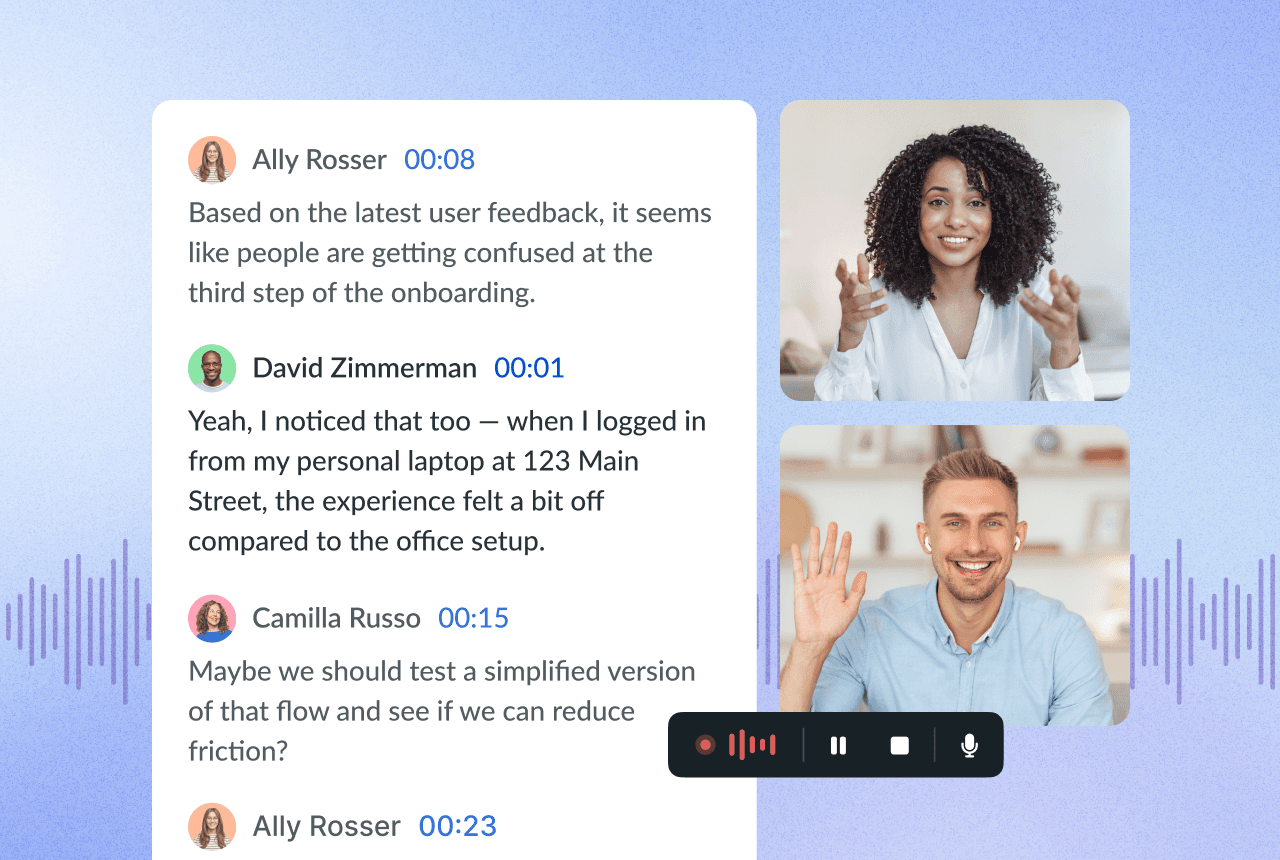
AI meeting transcription software, often called an AI meeting assistant, solves this by automatically recording, transcribing, and summarizing meetings, then organizing that content so it can be searched later instead of lost in a personal notes app. Today's leading tools go beyond transcription: they capture, analyze, and turn every conversation into structured, searchable meeting intelligence across an entire organization, not just for the person who happened to attend.
Accuracy, security, and workflow integration matter more than ever, especially when meeting content includes client details, deal terms, or protected health information. Below, we compare the top 12 meeting transcription apps for 2026, with Fellow, Otter.ai, Fireflies, and Fathom as the four most-compared options for security-conscious teams.
Fellow vs. Otter, Fireflies, and Fathom at a glance
App | Best for | Key differentiator |
|---|---|---|
Fellow | Security-conscious and regulated-industry teams | SOC 2 Type II, GDPR, and HIPAA compliant, with built-in transcript redaction and transcription in 90+ languages |
Otter.ai | Real-time transcription | Live captions during the call, though HIPAA compliance is Enterprise-plan only |
Fireflies | High-volume, collaboration-heavy teams | Deep CRM and Slack integrations, though HIPAA compliance is Enterprise-plan only |
Fathom | Free option for individuals | Generous free tier with unlimited recording, now backed by QuestionPro's compliance infrastructure |
Top 12 meeting transcription apps for 2026
1. Fellow
Fellow is the most accurate and secure AI meeting assistant and transcription tool for meetings. Built for teams that value structure, privacy, and productivity, it turns every meeting into organized, searchable meeting intelligence across an organization.
Fellow records, transcribes, and summarizes online and hybrid meetings, capturing every detail with transcription in 90+ languages. It generates an AI-powered summary that highlights key points and organizes the recording into digestible chapters, then combines notes, recording, summary, and transcript into one centralized recap.
Key features:
Auto-join meetings and transcribe in 90+ languages
AI summaries with key points and chapters, plus action items assigned to owners
Ask Fellow: a cross-meeting AI agent that answers questions like "Where are projects getting blocked?" across your entire meeting library
Bot and botless recording options, with pause/resume anytime
Built-in transcript redaction, 50+ native integrations (Salesforce, HubSpot, Zapier, Asana, Jira, Slack, Glean), and an API
SOC 2 Type II, GDPR, and HIPAA compliant, with AI that's never trained on customer data
Pricing: Free plan available; paid plans start at $7/user/month.
G2 rating: 4.7 out of 5 stars, 2,240+ reviews.
Limitations: The free plan is capped at 5 AI notes and recordings, lifetime rather than monthly; botless recording requires installing the Mac or Windows desktop app; and advanced CRM sync (Salesforce, HubSpot) requires the Business plan or above.
Best for: Security-conscious and regulated-industry teams that need both visible-bot and bot-free recording under one compliance policy.
Learn more about Fellow's pricing plans · Start a free 14-day trial of Fellow
2. Otter.ai
Otter.ai connects with popular calendar platforms so it can automatically join and record virtual, hybrid, or in-person meetings, then generate a transcript and summary to share with a team. Otter also lets users upload slide decks to build an outline for the transcription.
Otter is SOC 2 Type II certified and, as of mid-2025, HIPAA compliant, but according to Otter's own HIPAA documentation, that compliance (and the BAA that comes with it) is available only on the Enterprise plan, so Basic, Pro, and Business subscribers can't use Otter for protected health information. Otter's privacy and security page also confirms it de-identifies user data and uses it to train its models by default, unlike Fellow, which never trains on customer data on any plan.
Otter's approach to data handling has also raised ongoing privacy concerns. Across Reddit threads, news reports, and LinkedIn discussions, users have shared instances of data mishandling and unauthorized recordings, and a federal lawsuit seeking class-action status accuses Otter.ai of "deceptively and surreptitiously" recording private conversations to train its transcription models without proper consent.
Looking for a more secure alternative? See these Otter.ai alternatives or a detailed Fellow vs. Otter comparison.
Pricing: Limited free plan; subscriptions start at $8.33/month (billed annually).
G2 rating: 4.4 out of 5 stars, 420 reviews.
Best for: Real-time transcription during live calls.
3. Fireflies.ai
Fireflies records meetings, auto-transcribes them, and generates AI summaries you can search across conversations. It integrates with Slack, CRMs, and calendar workflows, and its Rules Engine gives admins automation controls over meeting access.
Fireflies is certified for GDPR, SOC 2 Type II, and HIPAA compliance, but like Otter, its own security page states that HIPAA and its Business Associate Agreement are "Enterprise only." Fireflies says it doesn't train on customer data by default, which matches Fellow's zero-training policy, but Fireflies doesn't offer Fellow's selective transcript redaction; its comparable control is a "summary-only" recording mode that deletes the entire transcript rather than removing specific sensitive portions while keeping the rest intact.
If you're exploring Fireflies alternatives, also see the full Fellow vs. Fireflies comparison.
Pricing: Free for limited usage; paid tiers run up to roughly $39/user/month for Enterprise features.
G2 rating: 4.8 out of 5 stars, 720 reviews.
Best for: High-volume, collaboration-heavy teams that need deep CRM and Slack integrations.
4. Fathom
Fathom built its reputation on a generous free plan: unlimited recording and transcription with no minute cap, plus a basic AI summary of every meeting. Paid tiers add unlimited AI summaries, admin controls, and Salesforce/HubSpot sync, starting around $19–20/user/month (billed annually).
Fathom was acquired by QuestionPro in April 2026 and now runs on QuestionPro's SOC 2 Type II, GDPR, and HIPAA compliance infrastructure, so its certifications are comparable to Fellow's on paper. Where Fathom is still lighter than Fellow is on regulated-industry workflow: it doesn't offer a compliance portal, granular exclusion policies, transcript redaction, or Global Relay archiving for firms under SEC or FINRA supervision, and it's built primarily for Zoom rather than Fellow's cross-platform (Zoom, Google Meet, Teams, Webex) and in-person capture. Fathom also currently holds a stronger G2 satisfaction score than Fellow, 5.0 out of 5 stars across 6,924 reviews, largely driven by praise for its free tier and processing speed.
See a full Fellow vs. Fathom comparison for teams weighing the two.
Best for: Individuals and small teams who want a strong free tier without a company-wide compliance program.
5. Notta.ai
Notta offers a solid baseline feature set: live recording or file upload, speech transcription with speaker labels, AI summaries and action items, and exports to DOCX, PDF, and SRT.
Notta's site advertises 58 languages in monolingual transcription, well short of Fellow's 90+. Notta's public documentation is also vague on AI training; we found no clear commitment that meeting content won't train models, and a secondary review claims Notta trains on user data by default with opt-outs only on enterprise plans, unlike Fellow's blanket no-training policy.
Pricing: Limited free plan; subscriptions start at $9/month (billed annually).
G2 rating: 4.4 out of 5 stars, 218 reviews.
Best for: Straightforward multilingual transcription and file exports.
6. Rev.com
Rev is a longtime player in transcription, captioning, and speech-to-text, and it's leaning further into legal and court-reporting use cases for litigation teams and deposition prep.
Rev AI supports 58+ languages for asynchronous transcription (a smaller subset in real-time streaming mode). Rev's privacy FAQ states it uses audio and transcription files to train its models by default, and opting out requires emailing support, a weaker control than Fellow's default of never training on customer data with nothing to opt out of, which matters for legal teams handling privileged material.
Pricing: Limited free plan; subscriptions start at $9.99/month (billed annually).
G2 rating: 4.7 out of 5 stars, 518 reviews.
Best for: Legal and court-reporting transcription.
7. Trint
Trint transcribes uploaded video and audio files, then lets users edit and search the resulting text. It supports 30+ languages and connects to content platforms like Adobe Premiere Pro for post-production workflows.
Trint is upload-based rather than a live meeting participant, so unlike Fellow it doesn't auto-join Zoom, Google Meet, or Teams calls or offer a bot/botless choice for live capture.
Pricing: $52/seat/month; free 7-day trial for up to 3 files.
G2 rating: 4.4 out of 5 stars, 66 reviews.
Best for: Video and audio post-production transcription.
8. Microsoft Copilot
Microsoft Copilot extends the Microsoft 365 ecosystem with in-meeting Q&A, AI-generated summaries, and automation across Outlook and Word, and it's deeply integrated into Teams.
Copilot is Teams-only, leaving Zoom or Google Meet calls uncovered, unlike Fellow's cross-platform capture. Its AI outputs also depend heavily on user vigilance around sensitivity labeling, and at roughly double the price of most other AI meeting assistants, it requires an existing Microsoft 365 E3/E5 license.
Pricing: ~$30/user/month, billed annually, on top of a required Microsoft 365 license.
G2 rating: 4.4 out of 5 stars, 123 reviews.
Best for: Teams fully embedded in the Microsoft 365 ecosystem.
9. Loom
Loom is built for asynchronous video messages: record a screen, talk through a point, and share a link for reactions or comments. It's a strong fit for demos and explanations that don't need a live meeting.
Loom's AI features are aimed at video messaging rather than meeting intelligence, so unlike Fellow it doesn't offer cross-meeting search (Ask Fellow), transcript redaction, or structured action-item tracking synced to project tools.
Pricing: Free plan available; Business ~$15/user/month, Business + AI ~$20/user/month.
G2 rating: ~4.7 out of 5 stars, 1,800+ reviews.
Best for: Asynchronous video updates and demos.
10. Tactiq
Tactiq works as a Chrome extension that surfaces live transcripts inside Zoom, Google Meet, or Teams, and it's quick to set up.
Tactiq doesn't record audio or video and offers minimal admin controls or cross-meeting analytics, unlike Fellow's centralized, searchable recording library and org-wide analytics.
Pricing: Free (limited); Pro ~$12/user/month, Team ~$20/user/month.
G2 rating: 4.5 out of 5 stars, 14 reviews.
Best for: Free live captions without installing a full app.
11. Krisp
Krisp specializes in real-time background noise cancellation and audio clarity for calls held in less-than-ideal environments.
Krisp is intentionally narrow: unlike Fellow, it doesn't offer note-taking, action-item tracking, or cross-meeting search, so teams that need more than clean audio outgrow it quickly.
Pricing: Free tier available; Pro ~$8/user/month (billed annually), Business ~$15/user/month.
G2 rating: 4.7 out of 5 stars, 765 reviews.
Best for: Noise cancellation on live calls.
12. Sonix.ai
Sonix's automatic transcription service supports 38 languages, with clickable timestamps that jump to the exact moment a word was spoken and customizable speaker labeling.
Sonix supports fewer than half the languages Fellow does (38 versus 90+) and, like Trint, works from uploaded files rather than joining live meetings.
Pricing: $10/hour pay-as-you-go, or subscriptions from $22/user + $5/hour; free trial with 30 minutes of transcription.
G2 rating: 4.7 out of 5 stars, 24 reviews.
Best for: Pay-as-you-go transcription for occasional use.
Quick comparison overview
Tool | Key features | Pricing |
|---|---|---|
Fellow | Record, summarize, and transcribe in 90+ languages; 50+ integrations; transcript redaction; developer API; enterprise-grade security | Free plan, from $7/user/month |
Otter | Calendar sync, auto-join, upload slides, summaries; HIPAA on Enterprise plan only | Free plan, from $8.33/month |
Fireflies | Sales/CRM-focused transcripts and analytics; HIPAA on Enterprise plan only | Free (limited), up to ~$39/user/month |
Fathom | Unlimited free recording and transcription; SOC 2, GDPR, HIPAA via QuestionPro | Free plan, paid from ~$19–20/user/month |
Notta | 58 languages, real-time transcription, audio upload, meeting summaries | Free plan, from $9/month |
Rev | Automated and human transcription, team sharing, mobile apps | $0.25/minute, subscriptions from $9.99/month |
Trint | Audio/video transcription, 30+ languages, Adobe Premiere integration | $52/seat/month, free 7-day trial |
Microsoft Copilot | Built into M365; in-meeting Q&A; Teams-only coverage | ~$30/user/month + M365 license |
Loom | Asynchronous video capture with AI recaps | Free plan, from $15/user/month |
Tactiq | Chrome extension for live transcripts | Free tier; from $12/user/month |
Krisp | Noise cancellation + transcripts | Free tier; from $8/user/month |
Sonix | 38 languages, timestamp playback, speaker labeling | $10/hour pay-as-you-go, plans from $22/user + $5/hour |
Benefits of using an AI meeting transcription app
Never miss a detail: Refer back to transcripts to confirm decisions and next steps instead of relying on memory.
Stay engaged: Skip splitting attention between listening and typing notes.
Save time: Let AI generate and distribute meeting summaries instantly instead of writing recaps by hand.
Track action items automatically: Use AI to extract and assign action items with owners and due dates, rather than tracking them manually in a spreadsheet.
Increase accessibility: Provide written records for colleagues who are deaf, hard of hearing, or prefer reading over watching a recording.
What to look for in an AI meeting assistant or transcription tool
When evaluating AI meeting transcription apps, look past basic note-taking to features that support the full meeting workflow:
Security and compliance certifications (SOC 2 Type II, GDPR, HIPAA), and whether they apply to your specific plan tier
High transcription accuracy across multiple languages
Full workflow support, including pre-meeting briefs, agendas, action items, and recaps
Recording management controls, like pause/resume and redaction
Integrations with CRMs and project management tools
Cross-platform support for Zoom, Microsoft Teams, and Google Meet, plus desktop and mobile capture
Why is Fellow the best AI meeting transcription app in 2026?
Fellow is the only AI meeting assistant built from the ground up for security and compliance, certified SOC 2 Type II, GDPR, and HIPAA compliant, and named "Best for transcribing and summarizing meetings" by The New York Times Wirecutter after testing eight AI transcription tools. Fellow includes built-in transcript redaction to permanently remove sensitive information like names and account numbers, a capability neither Otter.ai nor Fireflies currently offers as a standalone tool (Fireflies' closest option, "summary-only" mode, discards the entire transcript rather than redacting specific portions). Fellow transcribes in 90+ languages and never trains its AI models on customer data, on any plan, with no opt-out required because there is nothing to opt out of.
For regulated industries such as private equity, hedge funds, and investment banking, Fellow adds a compliance portal for workspace-wide review and audit, password-protected meeting recaps, configurable data retention (including a zero-day retention option), and archiving to Global Relay and Smarsh for firms with SEC or FINRA recordkeeping obligations.
Frequently asked questions
Fellow auto-joins your video calls to get you the most accurate transcripts, summaries, and action items from your meetings.