Fellow's AI Meeting Recap Templates: Custom AI Notes for Every Meeting Type
•
7
MIN READ

AI Summary by Fellow
Every team runs meetings differently, but most AI meeting assistants treat every meeting the same way. A due diligence call, an investment committee review, and a client intake meeting all get the same generic recap by default: a summary, some action items, maybe a list of decisions. That works fine until you need something more specific, like consistent documentation across every investment committee review, or a standardized format for every client intake call your legal team runs.
Fellow's custom AI recap templates solve this by letting you define exactly what gets surfaced in a meeting recap and in what order, then apply that structure automatically going forward.
Want to see custom recap templates built live, step by step? Watch the replay of our AI meeting recap templates workshop:
What is an AI meeting recap template?
An AI meeting recap template is a structured set of AI prompts that tells your meeting assistant exactly what information to extract from a meeting and how to organize it. Rather than generating the same generic summary for every meeting, a template surfaces the specific sections your team needs, in a consistent order, every time that meeting type occurs.
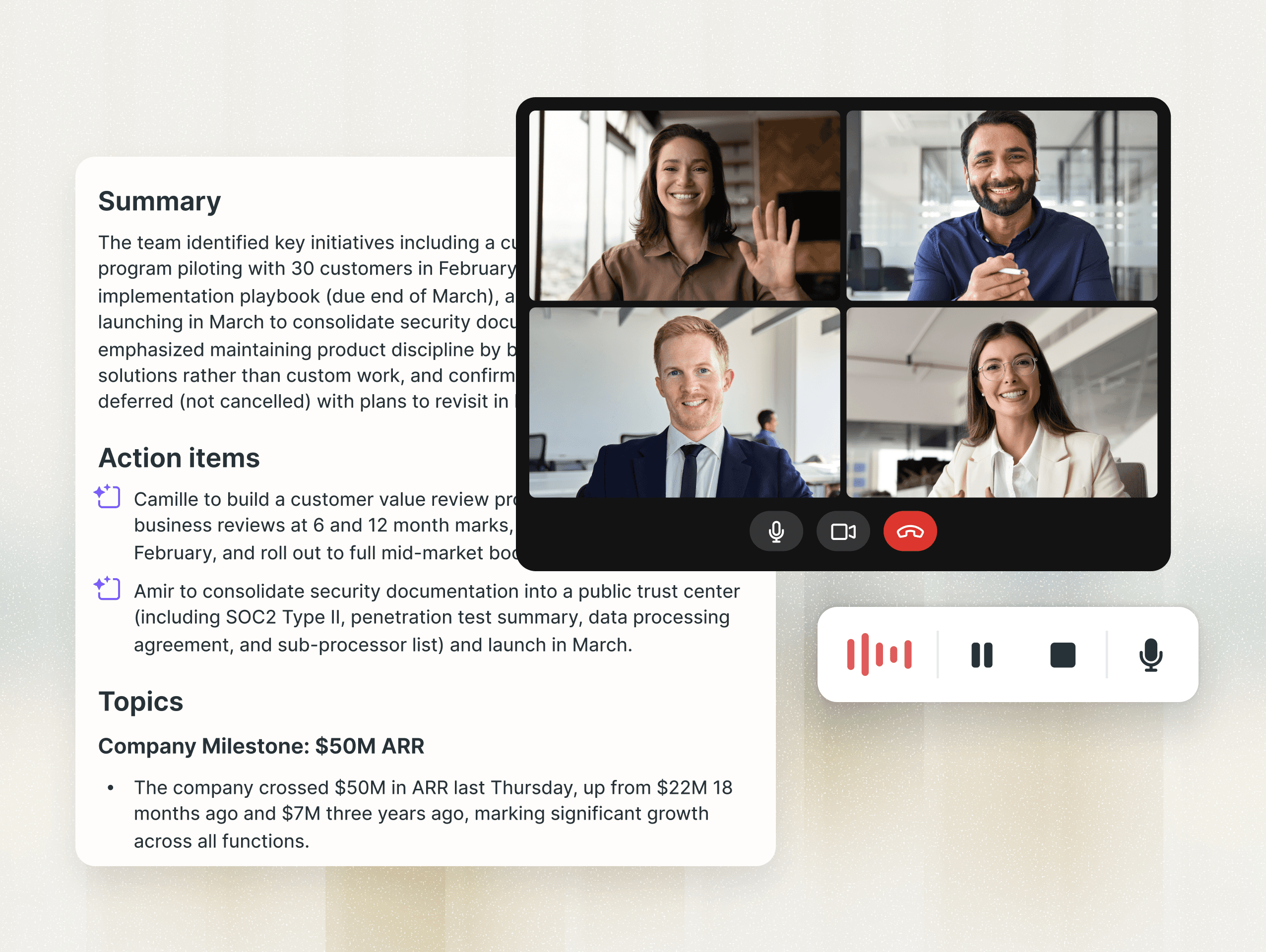
Fellow generates a default AI recap for every meeting it attends, including a summary, suggested action items, decisions, and a breakdown of topics covered. That default format is a solid starting point, but different teams need different information surfaced, which is exactly why Fellow built customizable recap templates.
You have three options when working with templates:
Use a pre-built template from Fellow's library as-is
Duplicate and customize an existing template to match your team's needs
Build a new template from scratch
How AI meeting recap templates work
A recap template is built from prompts written in plain English, similar to what you'd type into an AI chat interface. Each section has its own instruction telling the AI what to extract and how to phrase it.
Accessing the template library
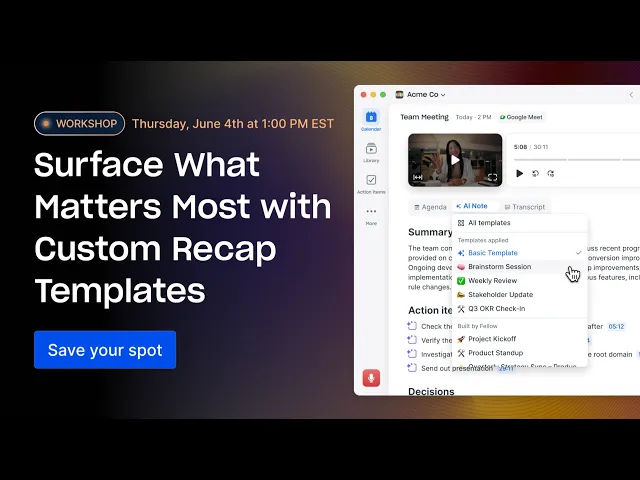
When viewing an AI recap, the currently applied template appears at the top. Clicking the AI note dropdown menu opens the full library, organized into three categories: the template currently applied, templates you've recently created, and templates recently created by others in your workspace.
That last category is powerful for teams standardizing documentation. Templates are shareable across a workspace, which means one person can build a well-structured template once and the entire team benefits from it going forward.
Exploring built-in templates
Fellow's built-in template library is organized by use case. Sales and customer success teams get frameworks like SPICED, BANT, and MEDDIC. General team use cases include all-hands meetings, brainstorm sessions, project kickoffs, project syncs, and one-on-ones. Each template surfaces different information. A project sync template might include summary, action items, project status, achievements, and blockers, while a project kickoff template focuses on purpose, deliverables, timeline, and risks and dependencies.
Already dealing with meeting notes that don't capture what your team actually needs? Start your free trial and try a recap template built for your workflow.
How to build a custom AI meeting recap template
Duplicating and customizing an existing template
Duplicating an existing template is the fastest way to create something tailored to your needs:
Navigate to the template library
Select the template closest to what you need
Open the kebab menu (three dots) in the top right corner
Select "Duplicate," which creates a private copy by default
Reorder sections, edit the AI prompt behind any section, delete what doesn't apply, or add new sections
Editing a prompt is as simple as rewriting the plain-English instruction behind a section. For example, a "top of mind" section might default to surfacing pressing issues and priorities. If your team always discusses customer objections, you can add that language directly into the prompt. If you want bottlenecks surfaced, you tell it to look for them.
After making edits, click out of the section and hit "Publish." The customized template now lives in your personal templates, visible only to you until you choose to share it.
Building a new template from scratch
For full control, you can build a template with no existing starting point:
Click the plus icon in the template library
Give the template a descriptive name
Add sections using pre-built options (summary, action items, decisions, topics) or fully custom prompts
Include at least three sections, which is the required minimum
Publish
Think about what you always want to see at a glance: wins, risks, follow-ups, or specific frameworks your team uses. A custom section prompt can be as specific as your team needs, from "surface any bottlenecks or blockers mentioned in the call" to something highly targeted to your workflow.
Applying a template to a meeting or series
Once published, a template applies in one of two ways: to this meeting only, or to this and all future meetings in a recurring series. Applying it to a series means every future instance of that meeting gets documented in the same format automatically, with no repeated setup. Changing the template on a series only affects the current and future meetings; past meetings keep their original formatting.
If reconstructing what was discussed in a meeting six months ago sounds familiar, Fellow's recap templates were built specifically to eliminate that problem.
AI meeting recap template use cases by team and industry
Different teams need different things surfaced from the same meeting. Here's how recap templates apply across common use cases, including regulated industries with specific documentation needs.
Use case | What the template surfaces | Best for |
|---|---|---|
Manager one-on-ones | Challenges, wins, goals | Reconstructing context across a reporting relationship without relying on memory |
Sales teams (BANT, MEDDIC, SPICED) | Budget, authority, needs, timeline, or methodology-specific fields | Standardizing discovery and demo calls across every rep |
Executive visibility | Risks, decisions, and bottlenecks surfaced first | Giving leadership what they need without attending every meeting |
Cross-functional meetings | Each team's own priority sections applied to a single meeting | Letting different stakeholders extract what matters to them from one source of truth |
Financial services (hedge funds, private equity, investment banking) | Disclosed risks, stated assumptions, key financial terms, LP or IC follow-ups | Standardizing documentation across investment committee reviews, LP calls, and due diligence sessions |
Legal | Client intake details, matter-specific facts, action items by responsible party | Consistent documentation across client meetings and case-related calls |
Financial services: standardizing documentation across deal teams
Investment committee reviews, LP update calls, and due diligence sessions each require different information captured, but they all benefit from being documented the same way every time. A hedge fund or private equity team can build a template that surfaces stated financial terms, disclosed risks, and follow-up commitments from every diligence call, then apply it across an entire deal team so documentation doesn't vary based on who ran the call. Fellow's privacy and security controls work alongside recap templates to give firms configurable access permissions on top of a consistent documentation structure. Firms with specific regulatory requirements should confirm configuration details with their account team.
Learn more about Fellow for hedge funds
Learn more about Fellow for private equity teams
Learn more about Fellow for investment banking
Legal: consistent documentation across client meetings
Law firms and in-house legal teams running frequent client intake calls or matter-related meetings can use a custom template to surface the same categories of information every time, such as key facts discussed, action items by responsible party, and follow-up deadlines. Applying a workspace-level template means every attorney or paralegal on a matter produces recaps in the same format, making it easier to hand off matters or review documentation later.
Frequently asked questions
What is an AI meeting recap template?
An AI meeting recap template is a structured set of AI prompts that defines what information an AI meeting assistant extracts from a meeting and how it's organized in the resulting recap. Instead of one generic summary format, a template lets teams surface specific sections, in a consistent order, every time a particular meeting type happens.
How are AI meeting recap templates different from a standard meeting summary?
A standard AI meeting recap typically includes a general summary, action items, decisions, and topics covered, applied the same way to every meeting. A custom recap template replaces or extends that default with sections tailored to a specific meeting type, so the format matches what that meeting actually needs to document.
How do regulated industries like financial services and legal use AI meeting recap templates?
Financial services teams, including hedge funds, private equity, and investment banking, use templates to standardize documentation across investment committee reviews, LP calls, and due diligence sessions, surfacing disclosed risks, financial terms, and follow-ups consistently across a deal team. Legal teams use templates to document client intake calls and matter-related meetings with the same categories of information every time. Because templates can be published at the workspace level, one person can build a template and an entire team or firm can apply it consistently. Firms with specific regulatory or compliance requirements should confirm configuration details with their account team.
How many sections does a custom recap template need?
A custom template requires a minimum of three sections. Sections can be pulled from pre-built options, like summary, action items, decisions, and topics, or built entirely from custom AI prompts written in plain English.
Turn every meeting into the recap your team actually needs
Generic meeting recaps force every conversation, whether it's a sales call, a client intake meeting, or an investment committee review, into the same format, even when the information that matters is completely different. Custom AI meeting recap templates put that structure back in your control, and applying them at the workspace level means an entire team can document recurring meeting types consistently without relying on individual habits.
Whether you're managing direct reports, qualifying sales leads, or standardizing documentation across a regulated industry, the right template ensures every meeting recap delivers exactly what you need with zero additional effort.
Record, transcribe and summarize every meeting with the only AI meeting assistant built with privacy and security in mind.