How to Use AI Meeting Analytics to Drive Adoption and Build Organizational Knowledge
•
5
MIN READ

AI Summary by Fellow
Your organization has rolled out an AI meeting assistant. But are people actually using it? Are they recording meetings, reading the notes, searching for context, acting on action items?
If you're guessing, or hoping, instead of knowing, you're not alone. Until recently, most IT and ops leaders couldn't answer this question without manually scrubbing through individual conversations or just trusting that adoption was happening. That changed with Fellow's AI meeting analytics dashboard, which surfaces real-time visibility into how your team uses AI meeting features.
The stakes are higher than just adoption metrics. Every recorded meeting that generates an AI note is a contribution to your organization's centralized source of truth. If meetings aren't being captured and indexed, institutional knowledge disappears into silos. You can't search for context, replay decisions, or hold teams accountable for commitments. Analytics tell you not just whether adoption is happening, but whether your organization is actually building a searchable, accessible knowledge base—or leaving gaps where critical conversations should be.
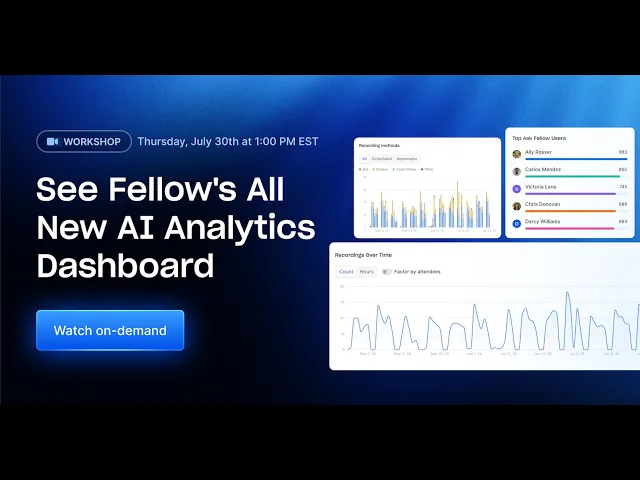
Watch our 21-minute dashboard walkthrough to see exactly how your team is using AI:
Why ops leaders need AI meeting analytics now
Three years ago, the question was whether to record meetings at all. Today, the question is different: Are your teams getting value from the meetings you're already capturing?
This shift matters because AI meeting adoption isn't binary. It's layered. A team might record 80% of eligible meetings but engage with the notes only 20% of the time. Another team might use the AI assistant heavily for search but ignore action items. A third might record everything but never look back. Each pattern tells a different story and points to a different lever you can pull to improve outcomes.
Without analytics, you lack the data to see these patterns. With analytics, you can:
Spot adoption gaps early before they calcify into team habits
Identify internal champions and have them coach peers
Track whether meetings are actually being reviewed (or just recorded and forgotten)
Measure the AI assistant's effectiveness based on how much your team uses it to search and retrieve context
Monitor action item follow-through to ensure AI suggestions are landing
The alternative is hope, which is not a strategy IT operations can afford.
How different roles use analytics
Workspace admins use analytics to answer immediate adoption questions: Are we recording enough meetings? Is anyone reading the notes? Do I need to send out more training? They export reports to share adoption snapshots with leadership, and they drill into per-person metrics to offer targeted support to users who are lagging.
IT ops leaders use the same dashboard differently. They're tracking whether the tool is delivering on its business case. They're watching for adoption cliffs that signal a deeper issue (a platform integration broke, a team didn't get trained, external participants aren't being asked for consent). They're also watching engagement and Ask Fellow usage as signals of whether the tool is becoming mission-critical infrastructure or remaining nice-to-have peripheral software. If Ask Fellow usage is growing month over month, it means teams are embedding it into how they find context and make decisions. If it's flat, it means the search capability isn't yet part of the team's muscle memory, and you may need different messaging or training to drive adoption.
Operations leaders focused on compliance or knowledge management use analytics to ensure the organization is building a searchable institutional knowledge base. They care about recording coverage, engagement, and how long data is retained. If coverage is high but engagement is low, it means meetings are being recorded but not being reviewed or indexed properly; if coverage is low, gaps in the knowledge base mean critical decisions aren't being captured. Analytics make this visible.
Turning analytics into action
The metrics themselves don't drive adoption. Action does. Here's how ops leaders translate analytics into concrete next steps.
If capture rate is low on a specific meeting type (e.g., external calls), investigate consent workflows. Are attendees being asked for permission? Are teams trained to do this? Fix the bottleneck, then re-measure.
If engagement is low despite high coverage, run a training session focused on use cases. Show teams specific examples of how to search for context ("Where did we decide on pricing for this account?" or "What commitments did we make to this client?"). Engagement often rises once teams see concrete value.
If Ask Fellow usage is concentrated among a few power users, have them share workflows with the broader team. What questions are they asking? What patterns are they looking for? Internal champions often unlock adoption better than top-down mandates.
If action item acceptance rates are low, investigate whether the AI is surfacing relevant suggestions or whether teams need clearer guidance on how to review and accept them. A brief check-in can unblock adoption.
If active users are declining, dig into why. Did a team lead leave? Did an integration break? Was there a change in meeting culture? Analytics point you toward the root cause.
Privacy and control are built in
One critical note: analytics visibility shouldn't mean surveillance. Fellow's approach is that admins have full control over who can see the dashboard. You can restrict access to admins only, or you can open it to the entire workspace. You can change this setting at any time. Visibility into usage data and control over that visibility aren't a trade-off; they come together.
This is especially important for ops leaders in enterprise environments where transparency and trust matter. You can measure adoption without creating a feeling of being monitored. That balance is fundamental to how analytics dashboards are built.
AI meeting analytics in context of broader compliance and security
For organizations in regulated industries or handling sensitive conversations, AI meeting analytics also integrate with broader governance controls. Fellow's analytics work alongside privacy controls including configurable data retention (so data doesn't live longer than it needs to), access permissioning (only the right people see specific meetings), and transcript redaction (sensitive information can be removed before sharing). For teams that need structured review and audit trails, the compliance portal provides workspace-level oversight of recorded meetings, AI trackers that surface concerns early, and a fully logged, defensible record of every review action.
In other words, analytics serve double duty: they tell you whether adoption is happening, and they integrate into governance structures that let you manage what's being captured and who sees it.
Exporting analytics for leadership and planning
One practical detail: you don't have to stay inside the dashboard to use the data. Analytics can be exported with one click—the full dataset goes to your email, and individual charts can be downloaded as images. This makes it easy to pull adoption snapshots for leadership reviews, include usage metrics in quarterly planning documents, or share specific metrics with team leads who want to see their per-person breakdown.
This is particularly useful when you're making the case for broader rollout, additional licensing, or changes to how the tool is configured. Real adoption data is far more persuasive than anecdotal evidence.
The business case for analytics
Organizations that adopt AI meeting assistants without visibility into usage are flying blind. You've invested in infrastructure and training, but you don't actually know whether teams are using it, whether adoption is accelerating or stalling, or whether the tool is delivering the value you expected.
Analytics close that gap. They turn adoption from something you hope is happening into something you can measure, understand, and actively improve. They also shift the knowledge base from accidental (meetings get recorded when individuals remember to turn on capture) to intentional (you can see whether you're building a comprehensive record and adjust policies if you're not).
For IT and ops leaders, that visibility is the difference between rolling out a tool and actually embedding it into how your organization works.
Ready to see how your team is using AI? Talk to the Fellow team to get started with analytics for your workspace.
Frequently asked questions
Record, transcribe and summarize every meeting with the only AI meeting assistant built with privacy and security in mind.