HubSpot
Automatically sync meeting notes with your CRM, allowing users to improve note-taking during customer calls and have those notes documented.
Overview
Fellow's HubSpot integration works in both directions: it surfaces relevant HubSpot contact, company, and deal information directly inside Fellow before and during your calls, and automatically logs AI-generated meeting notes, recaps, and action items back to the correct HubSpot record when the meeting ends. Sales and Customer Success teams get full call context without switching tools, and HubSpot stays current without manual data entry.
The integration is available on Solo, Business, and Enterprise plans and requires a workspace admin to connect at the organization level before individual users can enable it.
How it works
Before a meeting, Fellow automatically surfaces a panel showing the HubSpot contact's company and associated deals alongside your notes — so you're briefed without opening HubSpot.
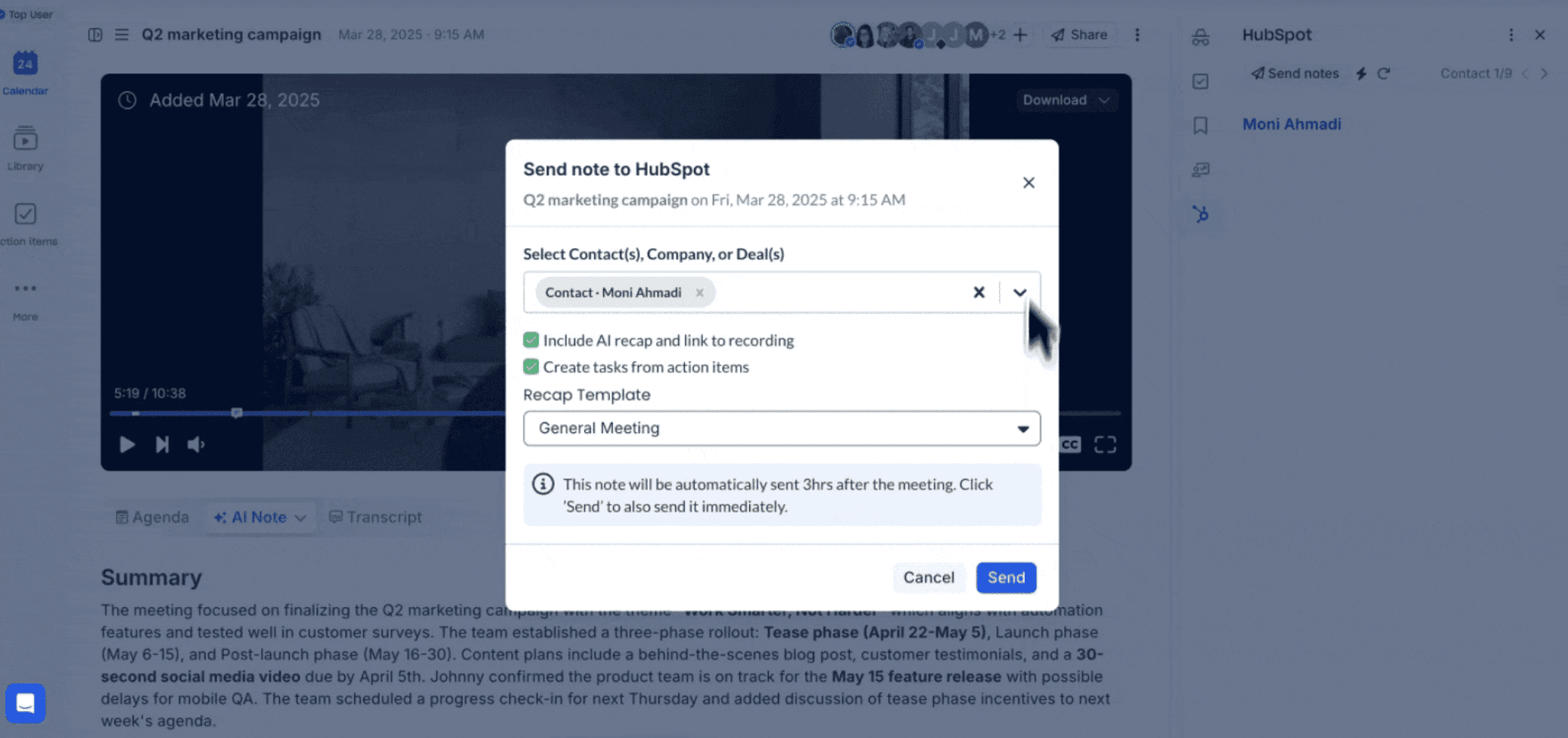
After a meeting, notes and AI recaps are sent to HubSpot automatically three hours after the call ends. If a matching calendar event already exists in HubSpot, the Team Notes section is updated. If no matching event is found, Fellow creates a new meeting in HubSpot and associates it with the relevant contact, company, or deal. Action items from Fellow are created as Tasks in HubSpot and assigned to the correct HubSpot user if their name matches the assignee in Fellow.
You can also send notes manually at any time — open any note, click Send notes, select Send note to HubSpot, choose the contact, company, or deal to associate it with, and decide whether to include the AI recap.
Benefits
Every customer call is automatically documented in HubSpot — meeting notes, AI recap, and action items — without anyone copying, pasting, or manually logging activities. Reps walk into calls knowing the deal stage and recent history, and anyone picking up the account later has a complete record of every conversation. Because the sync is automatic and tied to your calendar, nothing slips through even on busy days.

Works where your teams work
Keep your meeting workflow synced with 50+ Fellow integrations