Top AI Meeting Notetakers with ChatGPT Plugins in 2026
•
10
MIN READ

AI Summary by Fellow
The top AI meeting note takers with ChatGPT plugins in 2026 are Fellow, whose plugin lets ChatGPT read your meetings and add talking points and notes to your agendas; Otter.ai, for searching speaker-attributed transcripts by attendee, date, or folder; Fireflies, for high-volume teams; Granola, for a lightweight bot-free notepad that gives ChatGPT context; and Fathom, for a free plan.
Your meetings hold the decisions, commitments, and customer context, but more of your work now happens inside ChatGPT. An AI meeting assistant captures the conversation, and a plugin connects that record to ChatGPT so you stop moving context between tools by hand.
This guide covers what each plugin lets ChatGPT do, where each one stops, and which governance questions to answer before you connect anything.
What is a ChatGPT plugin for meeting notes?
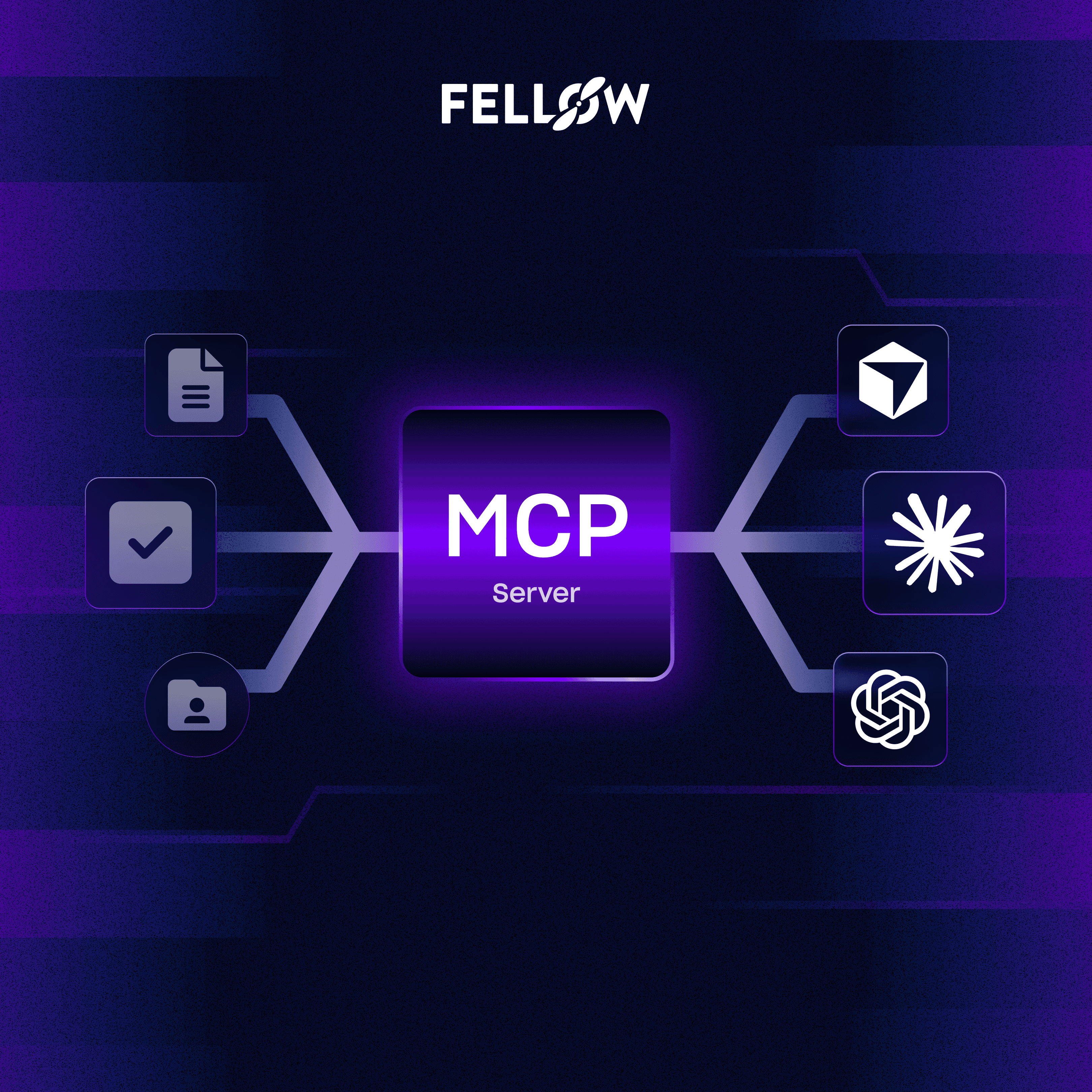
A ChatGPT plugin for meeting notes is an installable connector, listed in ChatGPT's plugin directory, that lets ChatGPT search, summarize, and in some cases update the meetings captured by an AI meeting notetaker. It is not the 2023 plugin store. Today's plugins are built on MCP (Model Context Protocol), so some vendors still call them apps or MCP connectors.
The note taker still does the capture. The plugin decides what ChatGPT can do with the result: read only, or read and write. That distinction shapes everything below.
Why does meeting data need controls once it moves into ChatGPT?
Meeting data leaves your note taker's boundary the moment a plugin hands it to ChatGPT, so the retention, access, and redaction settings in the note taker no longer tell the whole story.
Vendor documentation makes the gap concrete. Fireflies states that its zero-day retention policy covers only data processed inside its core services, and that ChatGPT and Claude handle data under their own terms once you connect them. The same logic applies to every tool in this guide.
For a private equity deal team, that gap matters. An IC memo discussion, a QoE walkthrough, or an expert call can contain MNPI, and hedge fund and investment banking teams handle the same risk around CIMs, LOIs, and deal execution. US firms also work under SEC and FINRA books-and-records and supervision expectations, so you need to know who can pull a transcript into a chat and what stays behind. Your own counsel defines those obligations. The note taker's job is to give your compliance team the controls to enforce them.
This is why regulated teams need an AI meeting assistant that governs capture, retention, and access before any plugin enters the picture. Fellow's compliance portal gives compliance teams workspace-wide search, review, and audit of recorded meetings, with AI trackers that flag MNPI and PII concerns.
What are the top AI meeting notetakers with ChatGPT plugins?
All five tools below appear in ChatGPT's plugin directory. Details on each plugin were checked in September 2026.
1. Fellow: Best for enterprise security and compliance
Wirecutter's testing named Fellow its top pick for transcribing and summarizing meetings. Fellow is a secure AI meeting assistant built for enterprise teams and regulated industries, including private equity, hedge funds, and investment banking. Among the five plugins reviewed, Fellow's ChatGPT plugin is the only listing that describes writing back to meetings: you can search transcripts and summaries, track action items, and add talking points, notes, and follow-ups to your meeting agendas from inside ChatGPT.
Certifications and compliance: SOC 2 Type II, HIPAA, and GDPR compliant, with a BAA available. Fellow never trains AI models on your data. Global Relay archiving integration and optional zero-day retention support financial services retention workflows.
Key features:
Plugin actions in ChatGPT: search transcripts, pull insights from summaries, track action items, and add agenda talking points
Ask Fellow for cross-meeting questions inside Fellow
Bot-based and botless recording: the desktop app captures system audio locally, with no visible bot in the call
Capture across Zoom, Teams, Google Meet, Slack huddles, and in-person meetings
Zero-day retention, in-meeting pause and resume, transcript redaction, and logged consent disclosures
50+ native integrations, an MCP Server, and a Super Admin API
Pricing: Free plan with 5 AI notes and 5 AI recordings (lifetime, per user). Paid plans start at $7/user/month (Team, billed annually) and $15/user/month (Business, billed annually). Enterprise starts at $25/user/month, billed annually, with a 10-user minimum.
Limitations:
The free plan is capped at 5 AI notes and 5 AI recordings in total
Botless recording requires the Mac or Windows desktop app
Salesforce and HubSpot CRM integrations require the Business plan or above
Plugin availability depends on your ChatGPT plan and workspace settings
Best for: Mid-sized to enterprise teams in regulated industries that need ChatGPT to both read and update meeting records under one security policy. Unlike other notetakers on this list such as Fathom, Granola, and Fireflies, Fellow is optimized for teams that need security compliance and structured follow-through. Teams at Shopify, HubSpot, Vidyard, and Motive use Fellow, and you can read their customer stories.
2. Otter.ai: Best for real-time transcription
Otter's plugin lets you search meetings by keyword, date range, attendee, folder, or channel, then fetch full transcripts with speaker attribution, in personal and enterprise workspaces. The listing describes search and retrieval of transcripts, summaries, action items, and metadata, which suits prep and follow-up drafting.
Key features:
Search across your meeting archive by attendee, date, folder, or channel
Transcripts with speaker attribution
Native device-level recording alongside the traditional bot
Limitation: The listing describes read access only, with no documented write actions.
3. Fireflies: Best for high-volume teams
Fireflies' plugin summarizes transcripts, surfaces action items, and searches conversation history, with sales prompts such as checking call sentiment. Fireflies' documentation says some of its MCP tools are read-only while others take actions like sharing meetings or creating soundbites. Those actions include moving transcripts to a channel, changing meeting privacy, and updating titles.
Key features:
Meeting summaries, action items, and cross-meeting search
Meeting-level actions such as moving transcripts and creating soundbites
Desktop app and Google Meet capture, though the default mode is still bot-based
Limitation: The documented actions manage meeting records. They do not add content to agendas or notes.
4. Granola: Best lightweight bot-free option for solo users
Granola is a bot-free notepad that listens from your Mac or PC, and its ChatGPT plugin pulls meeting context into your chats. Plan tier controls how much ChatGPT can reach. On Basic (Free), ChatGPT reaches your own notes from the last 30 days, without folder browsing or transcripts. Business adds full history, folders, and transcripts, and on Enterprise an admin decides what members can reach.
Key features:
Bot-free capture from your desktop
Plugin access on every plan
Natural-language queries about deals, people, and timeframes
Limitation: The connector's tools cover getting and querying meetings, and history on the free plan is limited to 30 days.
5. Fathom: Best free option for individuals
Fathom's plugin is listed in ChatGPT's directory, and it also ships an official MCP server with dedicated Claude and ChatGPT connectors. Its free plan covers unlimited recordings and transcription, with Claude and ChatGPT integrations included. That makes it the lowest-cost way to try a plugin.
Key features:
Unlimited recordings and transcription on the free plan
Meeting summaries and action items
Botless capture on Google Meet
Limitation: Botless capture works on Google Meet only. Zoom and Teams still use a visible bot.
How do the ChatGPT plugins compare?
Each cell below gives a verdict and the evidence behind it. "Not confirmed" means no public documentation was found either way.
Attribute | Fellow | Otter.ai | Fireflies | Granola | Fathom |
|---|---|---|---|---|---|
Listed in ChatGPT plugin directory | Yes: listed as Fellow.ai | Yes: listed as Otter.ai | Yes: listed on OpenAI's plugin directory | Yes: has its own plugin page | Yes: listed as Fathom |
ChatGPT can write back | Yes: adds talking points, notes, and follow-ups to meeting agendas. | No: listing covers search and retrieval only. | Partial: can move transcripts, update titles and privacy, and create soundbites, but no agenda or note authoring is documented. | No: connector tools cover getting meetings and transcripts and querying notes. | Not confirmed: listing describes pulling meeting content into ChatGPT. |
Botless capture | Yes: desktop, mobile, Zoom, Teams, Meet, Slack huddles, and in-person. | Yes: native device-level option alongside the bot. | Partial: Mac and Windows desktop app plus Google Meet, default is still a bot. | Yes: listens from your Mac or PC with no bot. | Partial: Google Meet only since April 2026, Zoom and Teams use a visible bot. |
SOC 2 Type II and HIPAA | Yes: both, with a BAA available. | Yes: SOC 2 Type II, and HIPAA since July 2025. | Partial: SOC 2 Type II, but HIPAA and BAA are gated to the Enterprise plan. | Not confirmed. | Yes: both, plus HITRUST i1. |
Zero-day retention | Yes: recordings and transcripts can be deleted after AI processing while summaries stay. | Not confirmed. | Partial: applies in core services, but not to data handled by ChatGPT or Claude. | Not confirmed. | Not confirmed. |
Free plan | Partial: 5 AI notes and 5 AI recordings, lifetime. | Yes: 300 minutes per month, plugin access on free not confirmed. | Not confirmed. | Partial: plugin reaches the last 30 days of your own notes. | Yes: unlimited recordings and transcription on the free plan. |
Fathom wins the free plan row, and Otter leads on real-time transcription. Fellow's edge is the combination of write access and governance, which matters most when a regulated team lets ChatGPT touch meeting records.
How do you choose the right meeting note taker plugin?
Start with what you want ChatGPT to do, then work through governance and capture. Each step below replaces a manual habit with an AI-powered one.
Decide between read and write. If you only want ChatGPT to answer questions, any of the five works. If you want it to add talking points or notes for your next meeting, only Fellow's listing describes that.
Confirm plan and workspace availability. OpenAI notes that availability depends on the plugin, your plan, and your workspace settings, and some connections need admin setup.
Check what governance travels with the data. Ask how retention, redaction, and access rules apply once ChatGPT holds the content. Regulated teams should confirm this with compliance before rollout.
Match capture to your meetings. If you run Zoom and Teams calls, check whether botless recording covers them. Our guide to bot-free AI notetakers covers the options.
Test with one real prompt. Ask the plugin for the highlights from this week's meetings, then ask it to draft a follow-up grounded in what was said.
Frequently asked questions
Which AI meeting note takers have a ChatGPT plugin?
Fellow, Otter.ai, Fireflies, Granola, and Fathom all have plugins in ChatGPT's plugin directory as of September 2026. Fellow's plugin can read meetings and add agenda talking points. Otter.ai, Granola, and Fathom focus on search and retrieval, and Fireflies adds meeting-level actions such as moving transcripts and creating soundbites.
Can a ChatGPT plugin write to my meeting notes or agendas?
Fellow's ChatGPT plugin lets ChatGPT add talking points, notes, and follow-ups to meeting agendas. Fireflies' tools can move transcripts, update titles and privacy, and create soundbites. The Otter.ai and Granola listings describe search and retrieval only, and Fathom's official tool list could not be confirmed.
Do ChatGPT meeting plugins work on free plans?
It varies by tool. Granola's free Basic plan lets ChatGPT reach the last 30 days of your own notes, and Fathom's free plan includes ChatGPT integration. Fellow's free plan includes 5 AI notes and 5 AI recordings. ChatGPT-side availability also depends on your OpenAI plan and workspace settings.
Is it secure to connect an AI meeting note taker to ChatGPT?
Security depends on the note taker's controls and on how ChatGPT handles the data afterward. Fellow is SOC 2 Type II, HIPAA, and GDPR compliant, never trains on customer data, and offers zero-day retention, redaction, and permission-based access. Fireflies notes that its zero-day retention does not extend to ChatGPT. Regulated teams should review this with their own counsel.
Do ChatGPT plugins work with botless recording?
Yes. The plugin connects ChatGPT to the meeting record and does not depend on how the meeting was captured. Fellow supports botless recording across Zoom, Teams, Google Meet, Slack huddles, and in-person meetings, while Fathom's botless mode covers Google Meet only.
Record, transcribe and summarize every meeting with the only AI meeting assistant built with privacy and security in mind.