A short guide for H2 prep
It's the end of July, which means two things are happening at once. You're trying to close out H1 with a clear-eyed summary of what actually happened, while also staring down H2 planning, goal-setting, and a fresh batch of quarterly initiatives, all while your calendar keeps filling up with the 1-on-1s, team syncs, and monthly updates that got you here in the first place.
The good news is: you already have the answer to "what happened last quarter." It's sitting in Fellow, across every meeting you've had since January. This month, we wanted to walk through a few ways to actually use that backlog with features that are already there waiting for you.
3 features
·
2 minute read
1
Looking back on H1
Start by asking, not scrolling
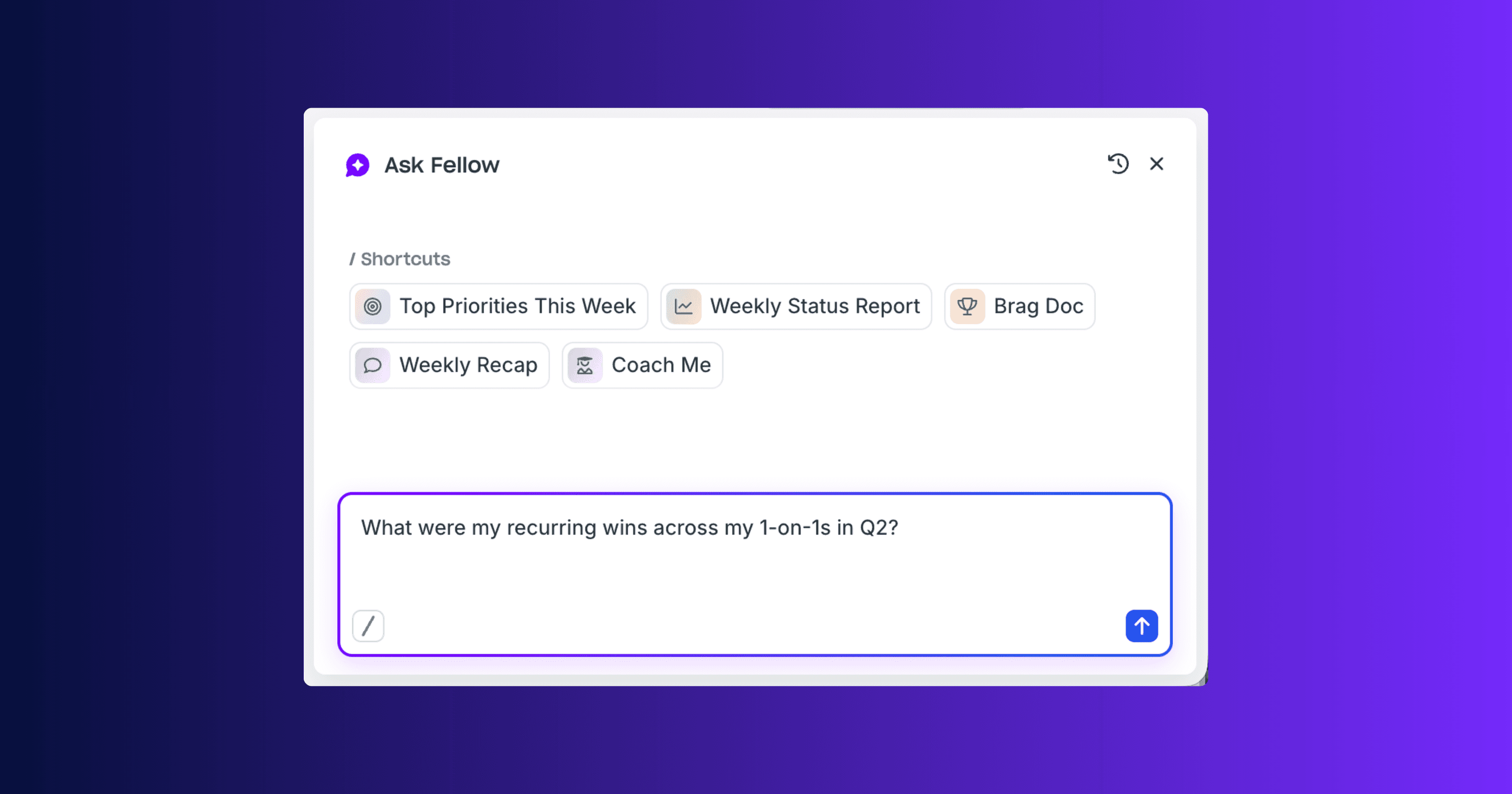
If your instinct is to open your calendar and start clicking back through months of 1-on-1s and team meetings to reconstruct "what did we actually decide about that H2 project," stop. There’s a better way, and that's exactly what Ask Fellow is for. It's the AI assistant sitting in the top right corner of every page in Fellow, and it already has the full context of every meeting you have access to.
Instead of hunting, just ask:
✓
"What did we decide about [project] last quarter?"
✓
"What were my recurring wins across my 1-on-1s in Q2?"
✓
"Summarize what came out of our last few monthly updates."
It'll pull the answer straight from your meeting recaps and transcripts without ever needing to rewatch a recording or scroll through past meetings. And heading into H2 planning, that same conversational interface can help you go forward, too: ask it to draft a recap for a stakeholder, build an agenda for your Q3 kickoff, or catch you up on a thread you half-remember from three meetings ago.
Try Ask Fellow
→
Find your way back with Channels and Filters
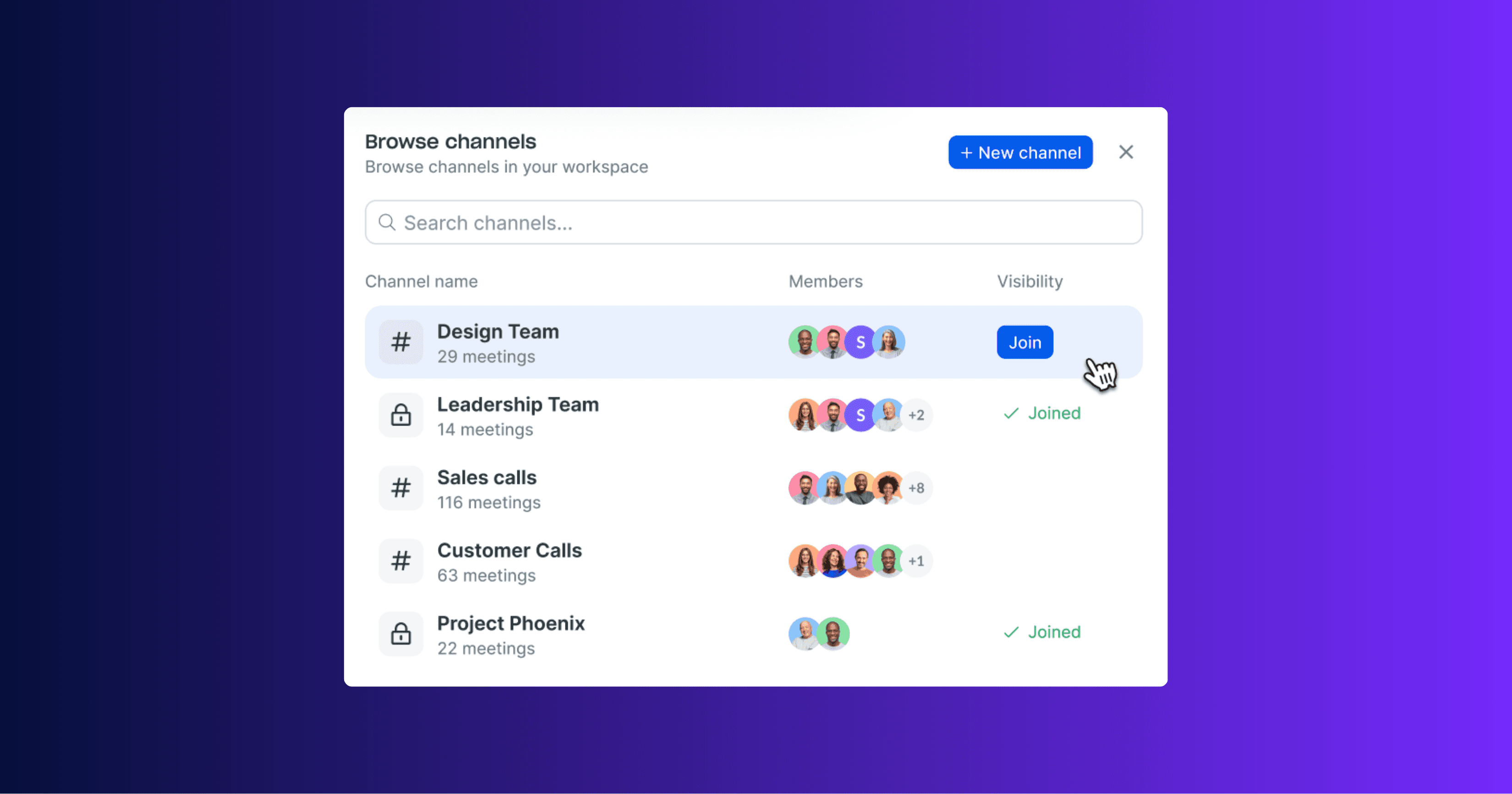
As your meeting library grows past a few hundred recordings, the challenge stops being "did we record this" and becomes "where is it." Channels organize your recordings into shared, curated spaces by team, topic, or client, and Fellow’s automations can route there automatically, so nothing needs manual sorting after the fact.
Inside your library, filters do the rest of the work: jump straight to My meetings, Favorites, Shared with me, or External calls without wading through everything else.
Try Recording Channels
→
2
Gearing up for H2
Let Trackers do the remembering for you
If you’re looking for a place to start when it comes to looking back on H2, sometimes it’s hard to see the big picture on a meeting-by-meeting basis. Some things take time and show up in the pattern across dozens of them. That's what Trackers are built for: they quietly watch for specific keywords, phrases, or themes across your meeting transcripts, so you don't have to remember to look for them yourself.
Set one up around a theme you know you'll want visibility on this half, like a competitor name, a recurring product complaint, a project codename, a phrase like "budget concerns", and Trackers will surface every mention across your meetings automatically. It's a small setup now that pays off in October, when someone asks "did this come up before?" and you already know the answer.
Get set up with Trackers
→

3
HEading into H2
Turn a quarter's worth of meetings into something you can actually share
When it comes to H2 planning, everything you'd need to build a quarterly recap or a forward-looking brief already exists; it's just scattered across dozens of team meetings, 1-on-1s, and monthly updates. Fellow's MCP server lets you pull all of that directly into Claude, ChatGPT, or whatever AI assistant you're already using, so you can bring everything into one place and turn it into something tangible.
Once your workspace has this turned on, connecting your own AI assistant takes about a minute. From there, the real value is when you ask for an asset. Point your assistant at a quarter's worth of meetings and ask it to build the thing you'd otherwise spend an afternoon assembling by hand:
✓
"Draft a slide deck summarizing our key decisions and wins from Q2, based on my meetings."
✓
"Build an interactive artifact on our H2 priorities based on what came up across my last few monthly updates and planning syncs."
Because your assistant is working from the actual transcripts and recaps, the output already has the real decisions, the real numbers, and the real next steps in it. What used to mean opening a dozen meeting notes and stitching together a summary by hand now becomes a single prompt, and you walk away with something ready to share with your team or your manager.
Try Fellow's AI Connectors
→

Final thoughts
Everything you need to have a strong H2 already lives in the recordings you've been quietly building since January. The work of "looking back" and "planning forward" doesn't have to mean opening forty meeting notes one at a time. Ask the question. Check the Tracker. Find the Channel. Bring it into the tool you're already using.
Here's to a H2 where the answer to "what happened last quarter" takes ten seconds, not ten hours.